


Auto Link for Android/Car Play
2.940.00 Reviews
App Specs
- Version
- 1.2.28
- Updated On
- License
- Free
- Downloads
- 100,000+
- Developer
- QS Rising Star
- Categories
- Auto & Vehicles
- Platform
- Android
Screenshots
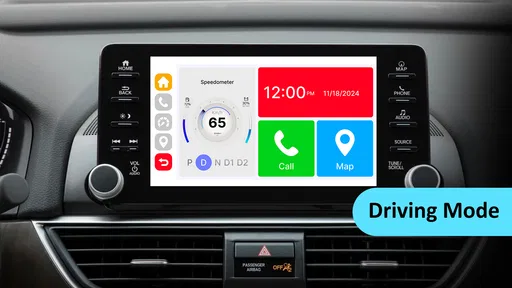
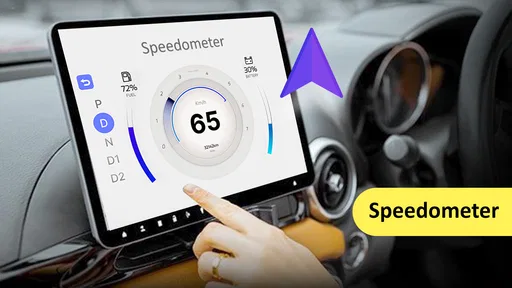
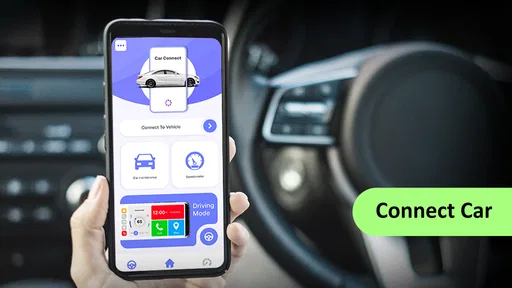
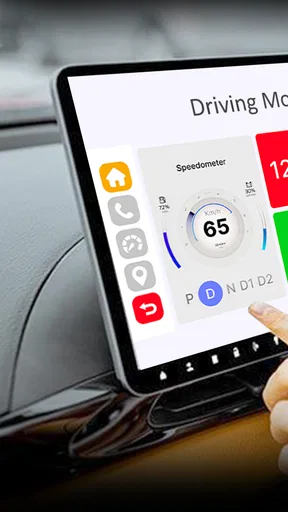
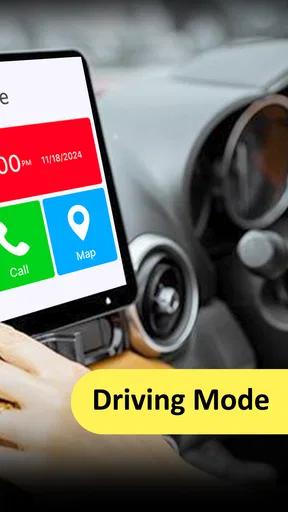
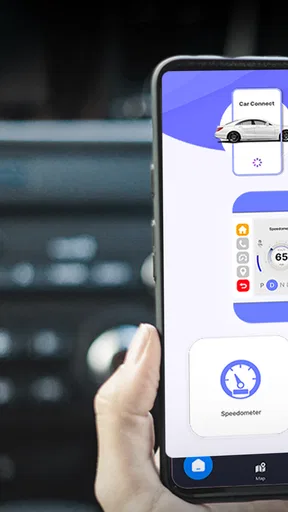
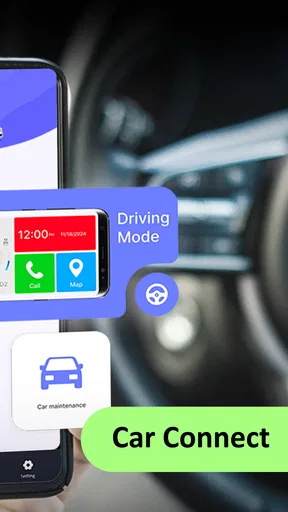
 Analysis by AppCompare
I share a car with other people in my household, so phone-to-car connection is less of a novelty than a small daily coordination problem. Who is driving, whose phone is connected, and whether the car recognizes the right device can matter more than a polished dashboard. That is the context in which I’d consider Auto Link: it is an Auto & Vehicles app from QS Rising Star, and its central purpose is connecting a phone with a car’s infotainment setup through Bluetooth and USB.
That simple job also sets a useful boundary. This is not something I would treat as a replacement for a vehicle’s built-in system or as a family-management tool. It may be relevant when a driver wants a phone and car to work together, but every person sharing the vehicle should still understand which phone is connected and what appears on the display. For a household, convenience depends on that everyday handoff being clear.
When one car serves several people
A realistic use case is a parent and another adult taking turns driving the same car. One person may want their own navigation and audio preferences on a commute, while the next driver needs to connect a different phone for an errand. An app built around phone-to-car connectivity can be useful in that routine, but I would not assume it automatically manages multiple people’s profiles or remembers each person’s preferences. I’d treat each change of driver as a fresh connection check.
That small pause is worthwhile: before pulling away, confirm that the intended phone is paired and that the car is showing the expected screen. It helps avoid playing someone else’s audio or starting a route on the wrong device. The benefit here is not a special household feature; it is having a clear connection workflow that each driver can repeat.
I’d be more cautious when the car is shared with a younger driver or a guest who is unfamiliar with the vehicle. They should know how to stop interacting with the display and let the driver handle setup while parked. A phone connection does not make a car’s screen harmless, and no app should be treated as a substitute for safe driving habits.
Set expectations before connecting
The description of Auto Link focuses on Bluetooth and USB connectivity, so I would first check which connection method the car and phone actually support. A USB cable that charges a phone does not necessarily mean the vehicle will provide the kind of infotainment connection someone expects. Likewise, Bluetooth pairing can serve a different purpose from a full display connection. Trying one method at a time makes troubleshooting less confusing.
For a shared vehicle, I’d also agree on a simple rule: connect only while parked, and disconnect or switch devices before the next person drives if the display still belongs to the previous driver. That avoids awkward surprises with personal calls, messages, or navigation destinations appearing when someone else takes the wheel. It is a practical privacy habit rather than a control the app provides.
Worth Reading Before You Choose

Flipboard Shows What News Apps Must Do Beyond the Feed

Switching to Android Auto Means Rethinking Your Driving Routine

Google Calendar Makes a Crowded Week Easier to Manage

Ludo King Makes the Most of the Minutes Between Plans

Baby Panda World Brings Quick Play to Modern Phones, but Its Game Library Feels Busy

ESPN’s Live Game View Makes Following Close Games Easier
Auto Link is free to install, but it includes in-app purchases priced from $9.99 to $99.99 per item. I would check what a purchase covers before paying and would not assume that buying something is necessary for basic connection. The app has an Everyone content rating, but that rating is not a promise that every connected-phone activity is suitable for every age or situation.
What the connection can and cannot solve
Phone-to-car tools are often judged by a simple question: does the vehicle recognize the phone and make the desired features available without a fuss? Auto Link’s appeal is that it is aimed at that bridge between a phone and the car. The trade-off is that the result still depends on the specific phone, vehicle, cable, and infotainment system. If a connection fails, it may not be obvious whether the app, the cable, Bluetooth pairing, or the car itself is the cause.
That makes a calm setup routine more useful than repeated tapping. I’d park, check that the car’s system is ready, pair or connect the phone using the method supported by the vehicle, and only then decide whether the app is helping. If it does not work on the first attempt, I’d avoid changing several settings at once. Testing one variable at a time gives a better chance of finding the actual snag.
For someone whose car already connects reliably through its standard Android Auto or CarPlay setup, the built-in option may be the more straightforward choice. A separate app is not automatically an upgrade just because it is available. Auto Link makes more sense to investigate when a driver specifically needs its phone-to-car connection approach, rather than expecting it to add a new set of functions to a system that already meets their needs.
I’d also avoid choosing it solely on the assumption that it will make every phone feature available on a dashboard. Drivers should use only the controls and content their vehicle supports and keep attention on the road. If a person needs dependable turn-by-turn directions above all else, using the car’s established navigation option may be preferable to experimenting with a connection during a trip.
Who is likely to find it useful
Auto Link is best considered by a driver who wants to connect a phone to a car’s infotainment system and is comfortable checking compatibility through a real, parked setup. It may suit someone who changes cars, shares a vehicle, or wants to see whether an additional connection app fits their routine. I would not recommend it as an essential download for every driver, because a working built-in connection may already do the job.
It is less suitable for someone who expects a guaranteed one-tap setup across all vehicles, or who wants the app itself to coordinate household accounts and phone handoffs. It also may not be the right choice for a driver who is uncomfortable troubleshooting basic pairing issues. In those cases, the car maker’s documented connection method or the phone’s standard system tools are more sensible starting points.
The app has an average rating of 2.9 from 387 ratings, so I’d approach it with measured expectations rather than treating it as a sure fix. That figure does not tell me what will happen with a particular car, but it is a reason to test the core connection before relying on it for a long drive or a time-sensitive journey. There are 40 written reviews, and the rating context makes a small, low-stakes trial more prudent than building a whole household routine around it immediately.
Auto Link has reached over 100,000 installs and was released on April 4, 2024. Its current version is 1.2.28, and it requires Android 8.0 or later. Those details are useful when checking whether a phone can install it, but they do not by themselves establish that a specific car will work well with it. I’d verify the phone’s operating system first, then test the connection in the actual vehicle.
Seamless Integration with Your Vehicle
First things first, the installation of Auto Link is as smooth as butter. You just download it from the Play Store or App Store, plug your phone into your car’s USB port, and voila! It’s like magic. Well, tech magic. The app automatically syncs with your car’s display, providing a clean and user-friendly interface.
What I love about this app is that it supports both Android Auto and CarPlay. So, whether you're a die-hard Android fan or an Apple aficionado, Auto Link has got you covered. It’s like having the best of both worlds, right at your fingertips.
User Experience: A Driver’s Delight
Once you’re all set up, it’s time to hit the road. The app’s interface mirrors your phone’s screen in a simplified format, which is perfect for driving. You get access to all the essential features without the distraction of unnecessary apps. Think calls, messages, navigation, and music. It’s like your phone, but optimized for safe driving.
One thing that stands out is how intuitive the navigation is. You can easily switch between apps using voice commands, which is a lifesaver when you’re trying to keep your eyes on the road. Just say the word, and Auto Link has your back.
Keeping You Connected and Entertained
Now, let’s talk about entertainment. You can easily stream music from your favorite apps like Spotify or Apple Music. The sound quality? Top-notch. It’s like having a concert right in your car. And if you’re into podcasts (who isn’t these days?), you can catch up on your favorite episodes while cruising down the highway.
And for those who dread missing important notifications, the app ensures you’re always in the loop. You can listen to your messages and respond using voice commands. It’s efficient and safe, which is exactly what you need when you're behind the wheel.
Navigation Made Simple
Getting lost is a thing of the past with Auto Link. The app integrates seamlessly with your preferred navigation app, whether it’s Google Maps or Apple Maps. And the real-time updates? Absolute lifesavers. You get to dodge traffic like a pro and find the quickest routes to your destination.
And yes, it even supports Waze. So, if you’re someone who relies on community-sourced alerts, you’re in luck. This app keeps you prepared for anything the road throws your way.
A Few Little Extras
While the main features are impressive, the little extras make Auto Link even more appealing. The app allows for customization, letting you personalize your dashboard to fit your style. Want quick access to your calendar? No problem. Need to check the weather before you head out? It’s all there.
In case you’re wondering about updates, the developers consistently push out updates to ensure that the app runs smoothly and stays compatible with the latest phone and car systems. It’s nice to know that the app won’t become obsolete anytime soon.
The Road Ahead
To sum it all up, Auto Link is a fantastic companion for any driver looking to stay connected and entertained on the go. It combines functionality with simplicity, making it a must-have for anyone who spends a considerable amount of time on the road.
Whether it’s the seamless integration, intuitive interface, or the ability to keep your hands on the wheel and eyes on the road, this app delivers on all fronts. So, if you’re looking for a way to enhance your driving experience, give Auto Link a shot. You might just find it indispensable.
Pros
- Seamless connection with minimal setup.
- Supports multiple apps for enhanced functionality.
- User-friendly interface for easy navigation.
- Reliable performance with stable connectivity.
- Wide compatibility with various car models.
Cons
- Limited customization options available.
- Requires a stable internet connection.
- Some features may drain battery quickly.
- Occasional glitches with certain apps.
- Not all features available on older devices.
FAQs for Auto Link for Android/Car Play
What features does Auto Link for Android/Car Play offer?
Auto Link for Android/Car Play provides seamless integration between your smartphone and car's infotainment system. It allows you to access navigation, music, calls, and messaging through a user-friendly interface. The app supports voice commands, ensuring you can keep your hands on the wheel while interacting with your device.
Is Auto Link compatible with all car models?
Auto Link is compatible with a wide range of car models that support Android Auto or Apple CarPlay. However, it is advisable to check the specific compatibility list provided by the app developer, as some older or more specialized car models may not be supported.
How does Auto Link ensure safety while driving?
Auto Link prioritizes safety by offering voice command functionality, allowing you to control navigation, music, and calls without taking your hands off the wheel. The app also features a simplified interface to minimize distractions and ensure a safer driving experience.
Does Auto Link require an internet connection?
Yes, Auto Link typically requires an internet connection to access real-time navigation updates, stream music, and manage calls and messages. However, some features, such as offline maps, may be available depending on the app's settings and your device's capabilities.
Are there any subscription fees for Auto Link?
Auto Link may offer both free and premium versions. While the basic features are usually free, premium options might include enhanced navigation tools, ad-free usage, or additional customization options. It's important to review the app's pricing details before downloading to ensure it meets your needs.


